

Face Recognition System

Standalone Face Physical Access Control with LCD Touch Screen Wireless

Face Recognition System

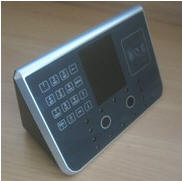
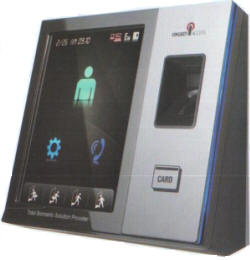
The face recognition embedded solution F710 is a multi purpose system which can be used for time attendance, access control and user identification.
  • Time attendance: The device can mark attendance time of users.
  • Access control: The device can be connected to an electric door lock and configured in a manner that it opens only after successful user verification.
  • User identification: The device can scan the face of a user and find his identity records saved in its database.

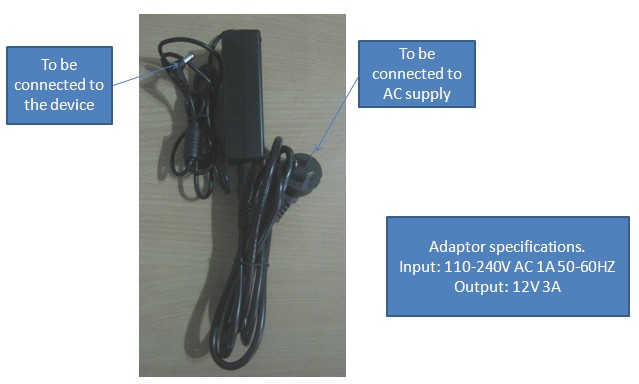
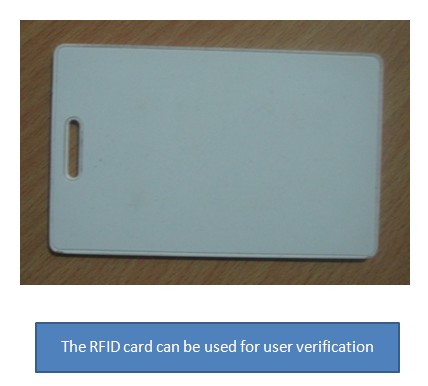
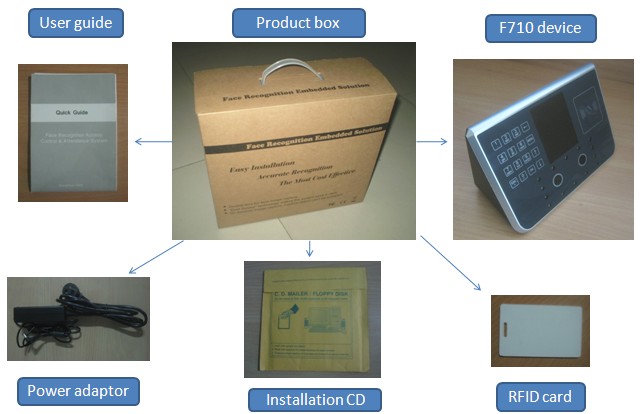
Package Contents
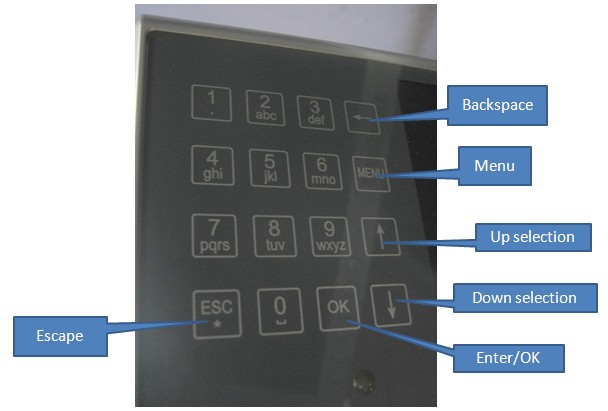
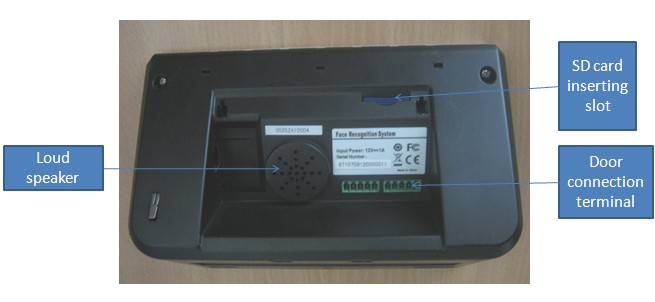
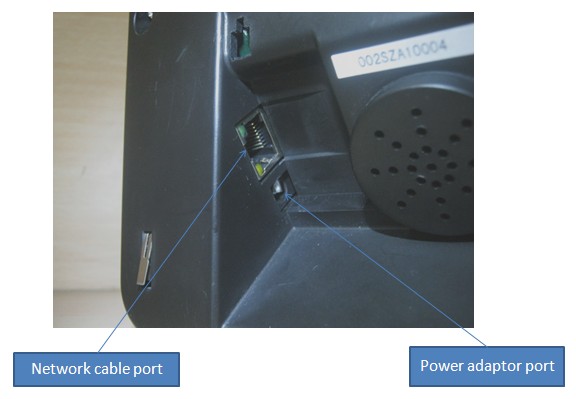
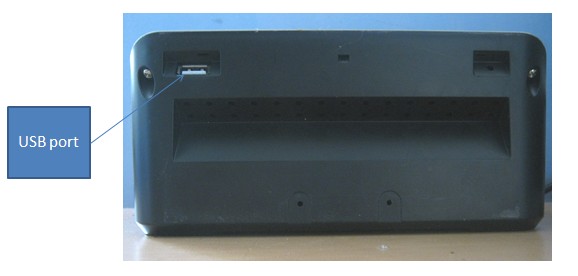
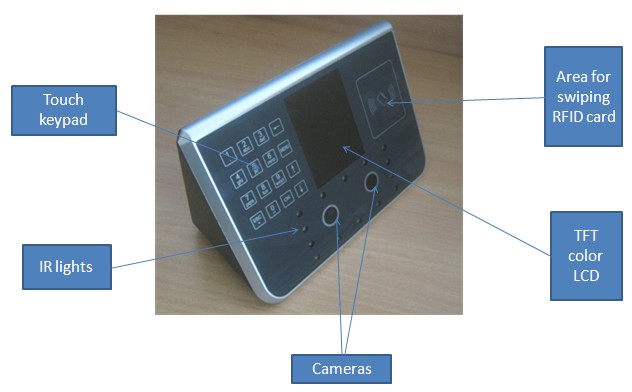
Device Familiarization
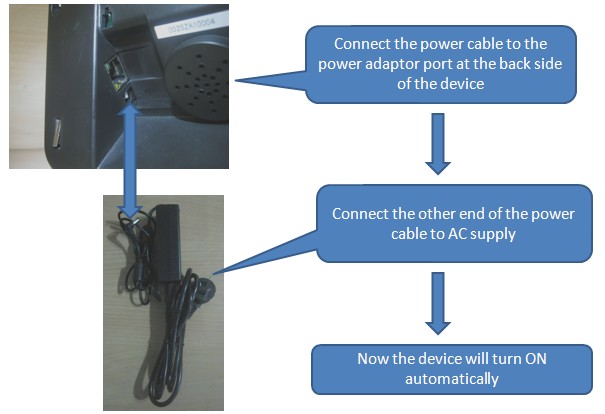
Turning the Device ON
Administrator Registration

  • The first step in the operation of the device is the administrator [admin] registration. Only admin has the option to control the device & manage the records. Up to 5 admins can be registered in the device.
  • To start with, after turning the device on, press MENU. Now the following prompt will appear.
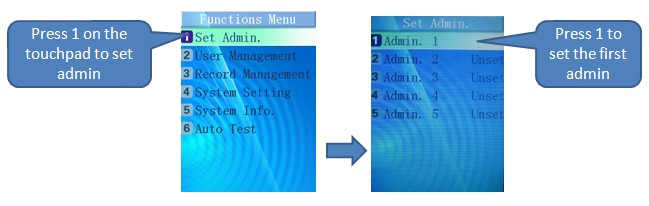
  • Now the device will start the admin registration process.
  • Make sure that the device is kept at a distance of 50-80 cm from the face at the time of registration and verification.
  • Follow the instructions on the screen to complete the registration.
  • The system will ask ‘Register as User?’ Press OK if the admin is to be registered as a user too. Press ESC if that is not required.
  • After successful registration, the confirmation message will be displayed on the screen.
  • For admin verification, press MENU in stand by. A green circle and a scanning brush will appear on the screen. Keep the face in such a manner that the brush can scan it properly, at the proper distance mentioned above. Once successfully verified, the Functions Menu will appear on the screen.

User Registration

  • Only admin can register, modify or delete users.
  • Press MENU for admin verification. After successful verification, Functions Menu will appear. Now proceed in the following manner.
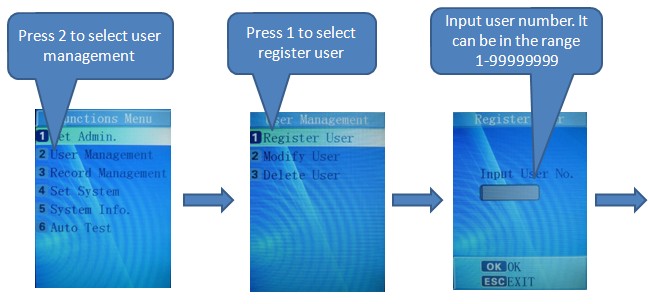
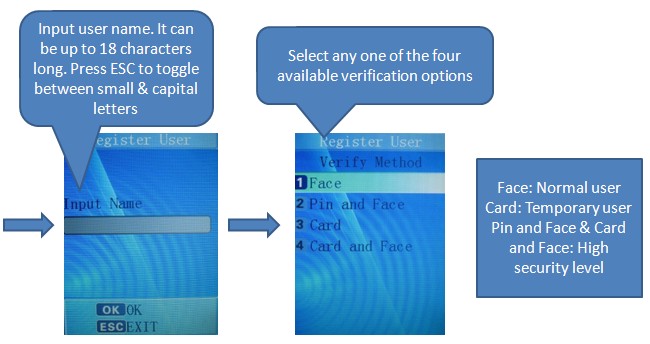
  • After successful user registration, a confirmation message will be displayed on the screen.

User Verification

  • The system automatically detects a face when it appears in front of the camera.
  • Adjust the face so that a green square is seen blinking on the screen. This denotes that the system is attempting to verify the face. If it doesn’t appear, then adjust the face properly. You may be too far from or too near to the device.
  • The device may show messages like ‘Adjust Your Actions’. This can happen if the face is not steady or facial expressions need to be adjusted.
  • After successful user verification, voice prompt gives a voice message ‘access granted’.
  • If a face is unknown to the system, it gives the message ‘access denied’ via the voice prompt.

User Guide

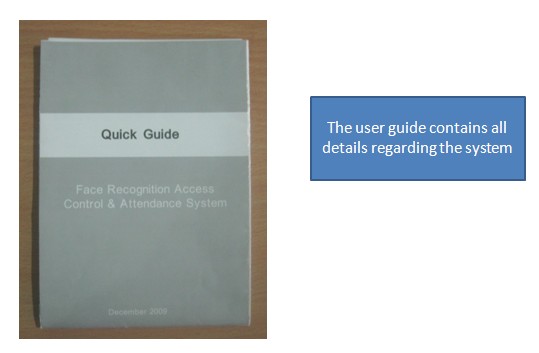
  • The user guide provided along with the system, in printed & word document formats, give all details regarding device configuration, installation, admin/user management, system settings, record management etc.

Management Software

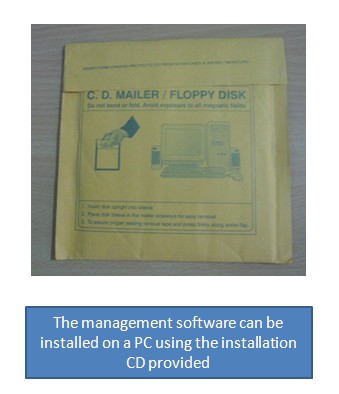
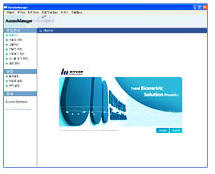
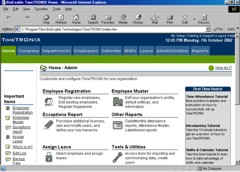
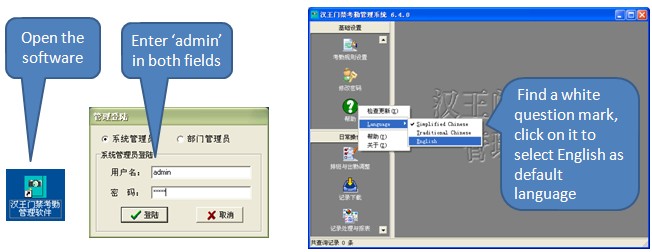
  • A management software comes along with the system which can be installed on a PC using the installation CD provided. It can be used for a variety of functions including staff management, device management, work shift settings, data import/export etc.
  • The default language of the software is Chinese. Follow these instructions to change it to English.
Device Performance

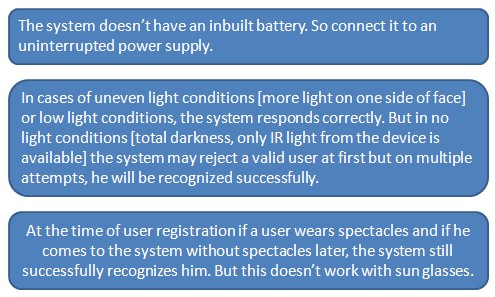
The device is highly accurate & dependable. Still, keeping in mind the following points will aid in better device performance.
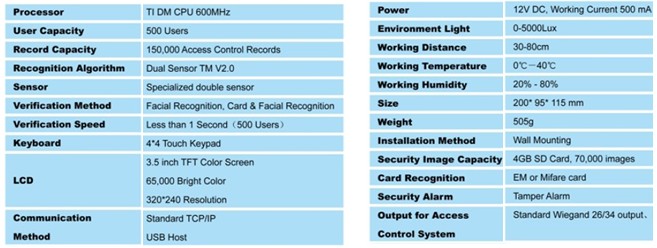
Specifications


Installation manual

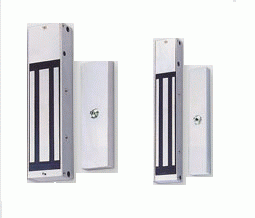
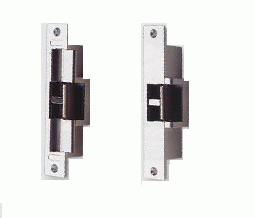
Electromagnetic and Electro Strike Locks Installation instruction

1. Which lock can be use for external doors?
2. Which lock can be use on aluminum doors?
3. Which lock can be use on wooden door?
4. Which lock can be use on glass door?
5. Which lock can be use for emergency exit doors?
:: Order Information                    India - International 
Order By E-mail

for orders e-mail: sales@ravirajtech.com

with subject: Face Recognition System order 

 Order by Fax

Orders By FAX
You may place an order by fax 24 hours a day, 7 days a week. Simply print the form below and fax it to us at:+91-020-24475992
 
Download Fax Order Form
Face Recognition F710


Right click and  select 'Save Target As...'

sales@ravirajtech.com

Buy Now


Products Selection Guide
   

Order information 
   

Payment information 
   

Shipment information 
   

Warranty Policy


.: Related Products :. 

Fingerprint Auto Sensing USB Optical Fingerprint Scanner

TA1000

EM-1000


EM-2000


FSM9000

Hamster

FDA01


FIM01


Fingerprint Auto Sensing USB Optical Fingerprint Scanner

FSIM

enBSP SDK


SecuOn Auto

iScan V100


GSM/GPRS module


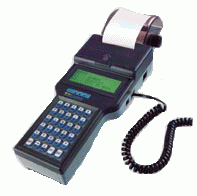
Wireless Data Terminal

 Intel D945GCLF

Intel D945GCLF2/D945GCLF2D

GSM/GPRS modem


 mini receipt printer PRP-058


   :: Useful Links ::

 
Biometrics
Fingerprint
Fingerprint Scanners USB
Biometrics Time Attendance
Access Control
Biometric Security
OEM Fingerprint Sensors
Software Development Kit
Biometric solutions
Biometrics services
Fingerprints Readers
Fingerprints Standalone Modules
Biometric Product
Fingerprints products
Time Recorders
Biometrics Fingerprints Software
Time Attendance
Fingerprints Time Attendance
Biometrics Access control
Fingerprints Access Control
RFID Modem/Module
Wireless Data Terminal
GSM GPRS Modem
Wireless Security
Embedded Resource
Mini ITX BOX
Biometrics Resources
Embedded Solution
Electronics  
Property Management
Gold Campaign
Axis Systems


Home |  Services |  Products |  Solutions |  Support  | Partners | Careers |  Contact Us

 
/  

India, USA (New York, California) UK Qatar Luxembourg Norway Brunei Kuwait Iceland Finland  Dubai UAE Oman Bahrain Saudi Arabia Australia south Africa Canada America middle east Europe Asia Argentina Austria Azerbaijan Bahamas  Bangladesh Belgium Bhutan Brazil Brunei Bulgaria Burma Cameroon Canada Chile China Colombia. Congo Costa Rica Croatia Cuba Cyprus Czech Republic Denmark East west north south Ecuador Egypt  England c Laos Malaysia Maldives Islands Mauritius Mexico Myanmar Nepal The Netherlands New Zealand Nigeria Ireland Norway Oman Pakistan Philippines Poland Portugal Qatar Romania Russia Saudi Arabia Scotland Seychelles Sierra Singapore South Africa Spain Sri Lanka Sudan Sweden Switzerland Syria Taiwan Tanzania Thailand Trinidad Tunisia Turkey United Arab Emirates United Kingdom Britain United States of America  Vatican Venezuela Vietnam Wales Zimbabwe Greece Slovenia Bahamas The Czech Republic Malta Barbados Lithuania Latvia Seychelles Botswana Equatorial Guinea Libya Saint Kitts and Nevis Uruguay Lebanon Mauritius Belarus Kazakhstan  Grenada Iran Saint Lucia Panama Serbia Dominica Saint Vincent and the Grenadines Macedonia Republic of Dominican Republic Peru Suriname Belize Jamaica Azerbaijan Belize  


Biometrics India Ahmedabad, Agra, Allahabad, Amritsar, Aurangabad, Bangalore, Baroda, Bhopal, Bhubaneshwar, Bikaner, Calicut, Chennai (Madras), Chandigarh, Coimbatore, Dehradun, Faridabad, Gandhinagar, investments Gwalior, Guwahati, Hyderabad, Indore, Property Jaipur, Jalandhar, Jammu, Kanpur, Kholapur, Kochi (Cochin), Kolkata (Calcutta), Lucknow, Ludhiana, Mumbai (Bombay), Mysore, Nagpur, Nashik, New Delhi, Patna, Pondicherry, Pune, impact components Raipur, Rajkot, Ranchi, Sangli, Sholapur, Shimla, Srinagar, Surat, Thane, Trichi, Thiruvananthapuram (Trivandrum), Udaipur, Vadodara, Varanasi, Vijayawada, Vishakhapatnam, Goa Andhra Pradesh, Assam, Bihar, Goa, Gujarat, Karnataka, Madhya Pradesh, Maharashtra, biometric security Fingerprint products India Orissa, Punjab, Rajasthan, Tamil Nadu, West Bengal, biometric fingerprint scanner Chandigarh, Delhi ayurvedic Devlopement, USB, Optical, cards, Sensors, Software Biometrics Andhra Pradesh, Assam, Bihar, Goa, Gujarat, Karnataka, Biometric Madhya Pradesh, Biometrics Maharashtra, Orissa, Punjab, biometric time attendance Fingerprint Rajasthan, Biometric Tamil Nadu, West Bengal, Biometric Chandigarh, Delhi 


Copyright © 2010 RaviRaj Technologies. All rights reserved.